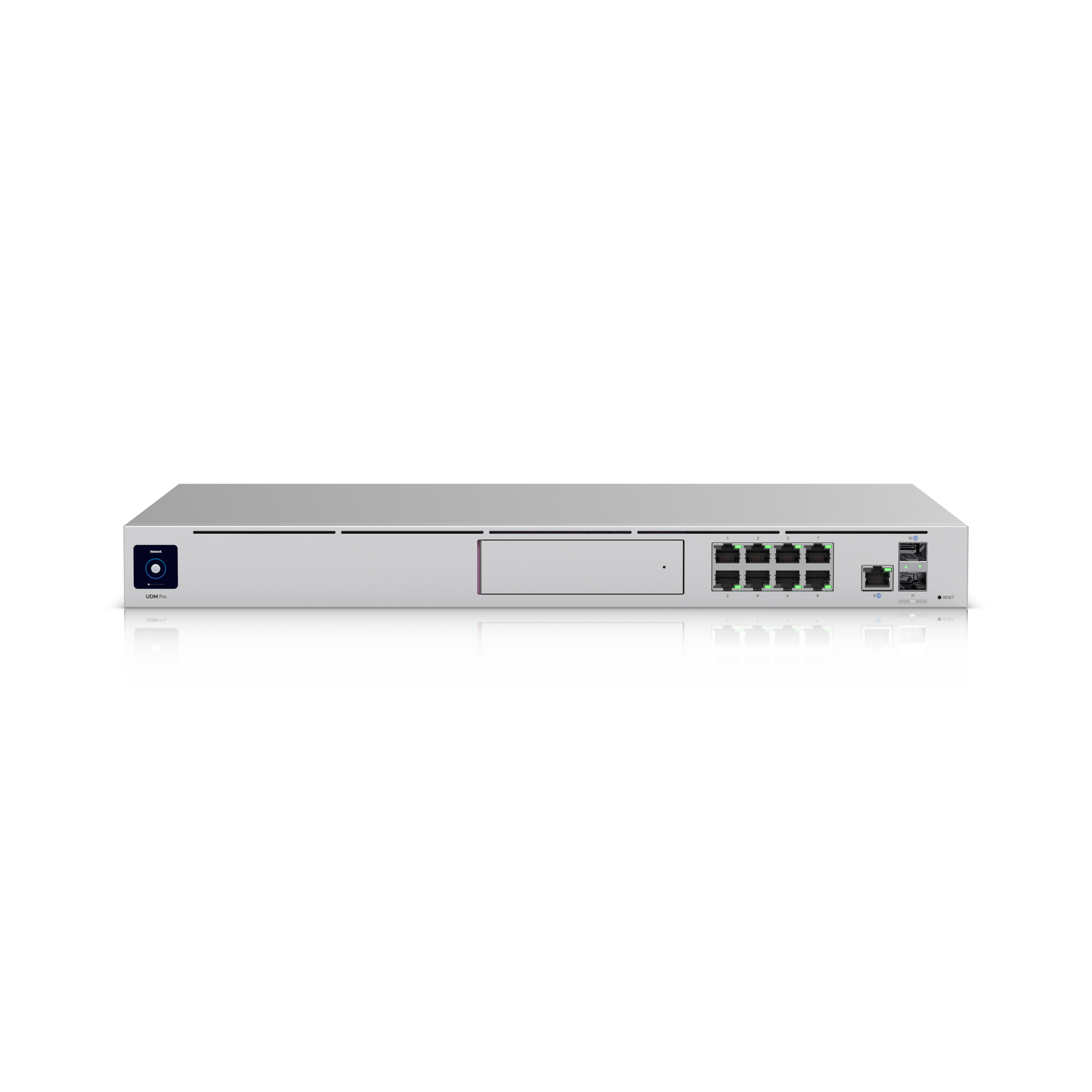
Image: Ubiquiti · Field photos are credited to the uploader
Ubiquiti UDM-Pro · 1 of 1 · Image: Ubiquiti
Ubiquiti UDM-Pro
Network · Dream Machine Pro
Specs come from the parts catalog. Wiring diagram
Reviews
Be the first to review this.
Sign in to write a review.
Add to my tools
Sign in to add this to your tools.
Specs
| BGP | True |
|---|---|
| HDD | True |
| PSU | True |
| RPS | True |
| L2TP | True |
| OSPF | True |
| SFP+ | True |
| Talk | True |
| IPsec | True |
| Access | True |
| Button | (1) Factory reset |
| Weight | 3.9 kg (8.6 lb) |
| Connect | True |
| IDS/IPS | 3.5 Gbps |
| Network | True |
| OpenVPN | True |
| Protect | True |
| 10G SFP+ | 2 (10G/1G) |
| Ethernet | True |
| Processor | Quad-core ARM® Cortex®-A57 at 1.7 GHz |
| Store SKU | UDM-Pro |
| WireGuard | True |
| 1 GbE RJ45 | 9 (1G/100M/10M) |
| Dimensions | 442.4 x 43.7 x 285.6 mm (17.4 x 1.7 x 11.2") |
| IGMP Proxy | True |
| Management | Ethernet Bluetooth |
| Redundancy | Shadow Mode (VRRP) Gateway Failover DC Power Backup (Enable DC power backup using UniFi RPS) |
| Site Magic | True |
| Ad Blocking | True |
| Form Factor | Rack mount (1U) |
| LCM Display | 1.3" touchscreen |
| NVR Storage | (1) 3.5" NVR HDD bay |
| Advanced QoS | True |
| Power Method | (1) Universal AC input, 100–240V AC, 50/60 Hz (1) USP-RPS DC input |
| Power Supply | AC/DC, internal, 50W |
| System Memory | 4 GB |
| Certifications | CE, FCC, IC, Anatel: 01136-20-08356, SRRC |
| Mount Material | SGCC steel |
| NDAA Compliant | True |
| Managed Cameras | (24) HD (14) 2K (8) 4K |
| Heat Dissipation | 112 BTU/hr |
| IPv6 ISP Support | True |
| On-board Storage | 16 GB |
| All Traffic Flows | True |
| Content Filtering | True |
| Default WAN Ports | (1) 10G SFP+ (1) GbE RJ45 |
| Max. Client Count | 1,000 |
| Stateful Firewall | True |
| ESD/EMP Protection | Air: ± 15kV, contact: ± 8kV |
| Enclosure Material | Aluminium CNC, SGCC steel |
| IDS/IPS Signatures | 55,000+ with CyberSecure |
| IDS/IPS Throughput | 3.5 Gbps |
| License-Free SD-WAN | True |
| Managed Access Hubs | 150 |
| Max. WAN Port Count | 8 |
| Multicast DNS (mDNS) | True |
| LACP Port Aggregation | True (GbE RJ45 ports 1-8) |
| Managed UniFi Devices | 100+ |
| MAC Address Table Size | 4,000 |
| Max. Power Consumption | 33W |
| Supported Voltage Range | 100–240V AC |
| Customizable DHCP Server | True |
| Integrated RADIUS Server | True |
| Multi-WAN Load Balancing | True |
| RADIUS over TLS (RadSec) | True |
| Virtual Network Override | True |
| Ambient Operating Humidity | 5 to 95% noncondensing |
| DPI & Traffic Identification | True |
| Simultaneous Users Connected | 1,000+ |
| Ambient Operating Temperature | -10 to 40° C (14 to 104° F) |
| Intrusion Prevention (IPS/IDS) | True |
| Identity Endpoint One-Click VPN | True |
| Teleport Zero-Configuration VPN | True |
| Policy-based WAN and VPN Routing | True |
| Application-Aware Layer 7 Firewall | True |
| Shadow Mode (VRRP) High Availability | True |
| Internet Quality and Outage Reporting | True |
| VLAN/Subnet-based Traffic Segmentation | True |
| Additional Internet Failover with UniFi LTE Backup | True |
| Zone-Based Firewall Advanced Filtering (Regions, Domains, Apps) | True |
| Advanced NAT (SNAT / DNAT / Masquerade / NAT Pooling / 1-to-1 NAT) | True |
Where to Buy
Distribution partner
Distribution partner coming soon
From Techs
No tech listings for this part yet.
Wanted
No wanted posts yet.
Aliases and rough areas only. No exact locations.
Shop New
0 business listings mention this part.
Guides
Guides tagged with the UDM-Pro, grouped by type
Defaults
No Defaults guides for the UDM-Pro yet. Suggest a guide
Programming
No Programming guides for the UDM-Pro yet. Suggest a guide
Wiring
Troubleshooting
No Troubleshooting guides for the UDM-Pro yet. Suggest a guide
Other Ubiquiti panels
No other Ubiquiti panel guides for the UDM-Pro yet. Suggest a guide
Discussions 0 tagged
No discussions tagged to this part yet.
Field photos
Be the first to add a field photo of this install.
Manufacturer photos are credited to the vendor. Field photos are real installs, reviewed before they are public, and credited to the uploader. Report a photo. We remove a reported photo within 24 hours.
Add a field photo
Real installs only. EXIF and GPS are stripped. A moderator reviews the photo before it is public. An approved photo is credited to your alias.
Sign in to add a field photo.
Photo takedown
Report a manufacturer or field photo that should come down.